Designers, retailers, and renovators
Interior design visualization tools
Interior visualization tools are not interchangeable. The right tool depends on whether you are aligning taste, planning layout, approving materials, presenting a polished concept, or helping a client choose in a showroom.
Moodboards for taste alignment
Moodboards are fast and flexible when a project needs atmosphere, palette, references, and broad style direction. They are less direct when the client needs to understand one material in their own room.
3D renders for spatial planning
3D tools are powerful for layout, scale, cabinetry, custom joinery, and architectural presentation. They usually require more setup than a room-photo visualization and may not be practical for quick supplier-sample comparisons.
Photoshop mockups for manual polish
Manual mockups are useful when a designer needs exact control over a single image. They are less efficient when the job is comparing many tiles, stones, fabrics, paints, or floor finishes with a client.
AI room visualizers for material decisions
RenoViz fits the decision point between inspiration and specification. It uses the real room photo, a captured material sample or color-mode input, and a target surface so clients can compare options in context.
- My Captures keeps showroom samples and material info-card photos together.
- Room chat lets each render build on the previous image instead of starting over.
- Color mode applies a specific color code or described shade to selected elements.
Collaboration and access control
Tool choice also depends on who needs to participate. A static export may be enough for one reviewer, but multi-person projects benefit from team workspaces, controlled sharing, and clear contributor limits.
- Subscriber teams can keep designers, sales staff, and project members contributing in one place.
- External sharing can give clients, suppliers, or installers viewer access when they only need to review.
- Limited-credit contributor access is useful when an outside party should help test options without taking over the project.
How to choose
Use the lightest tool that answers the current decision. Moodboard for taste, 3D for spatial planning, Photoshop for final polish, and RenoViz for room-photo material comparison, shared review, and client approvals.
Visual examples
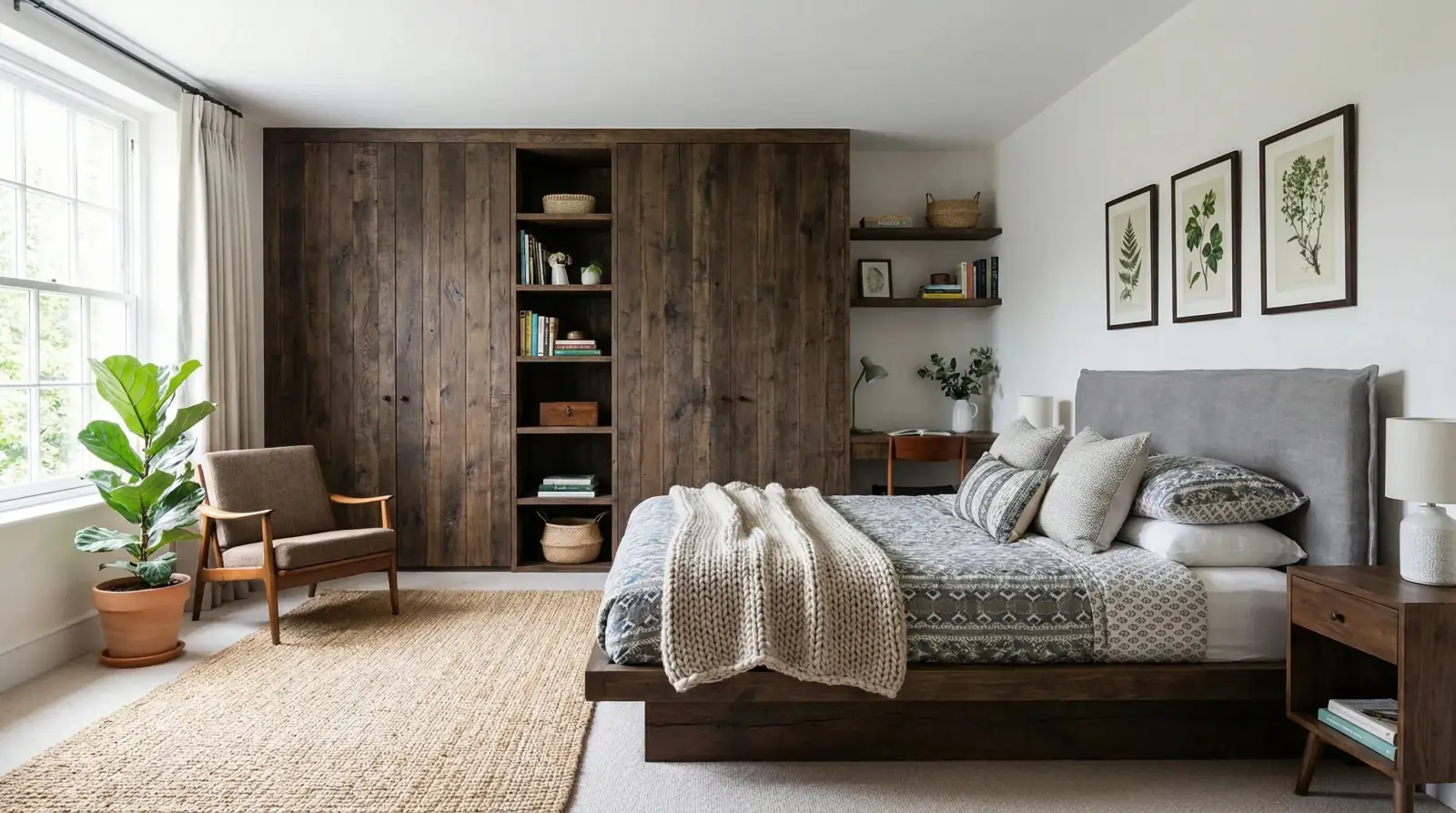
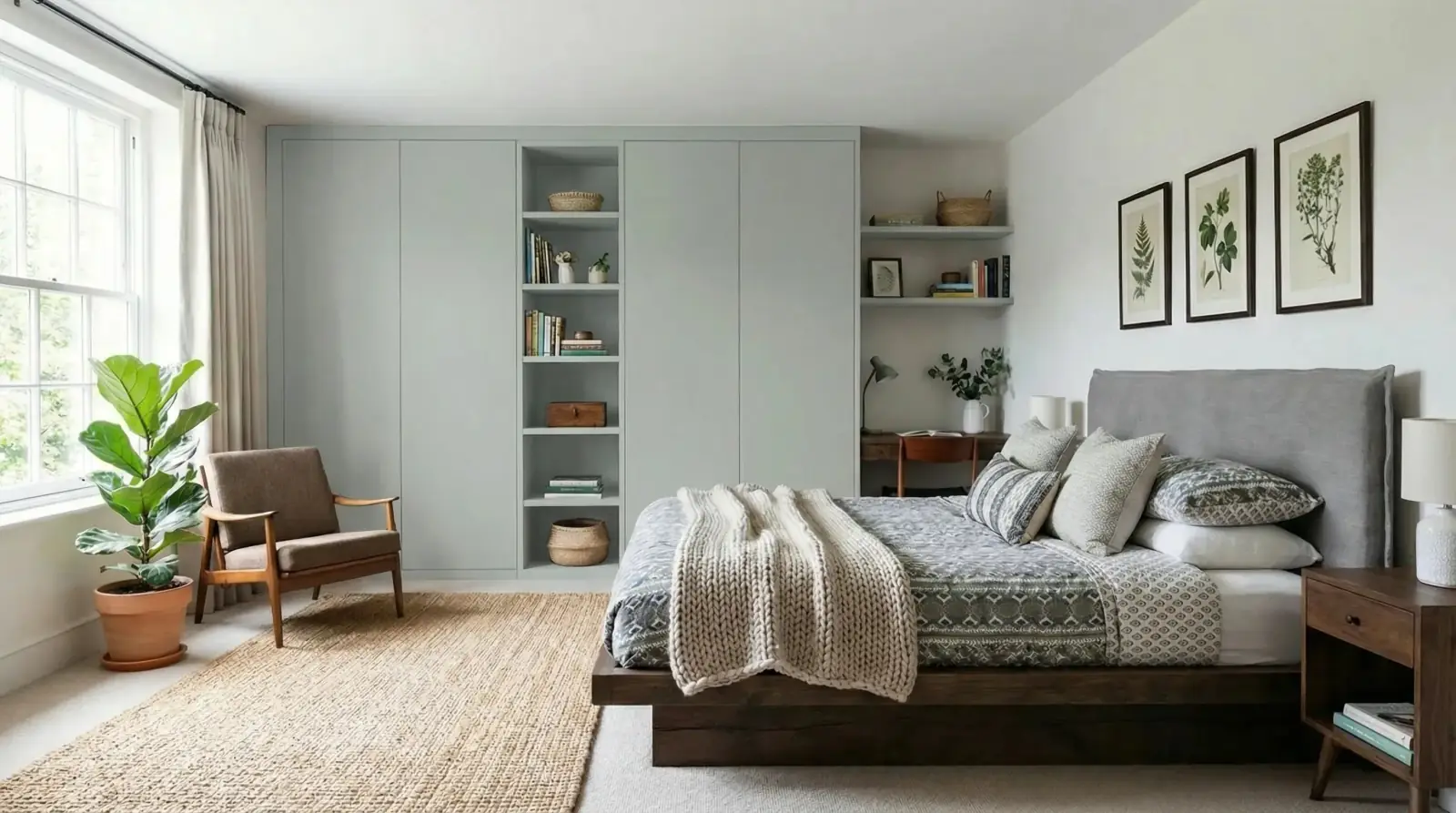
Paint and color decision
A wardrobe finish visualized in the actual bedroom context, with color mode available when the input is a code or described shade.
Sahara Creme paint / Bedroom wardrobes

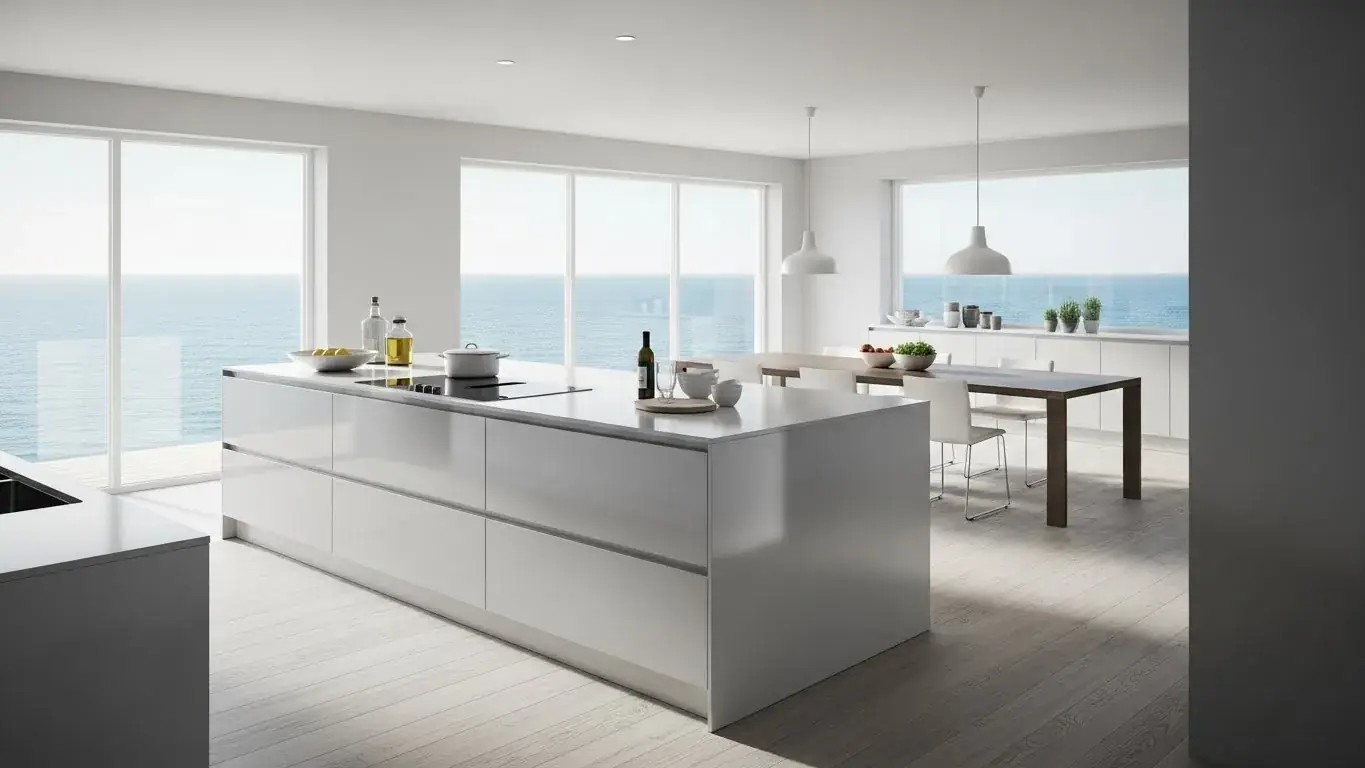
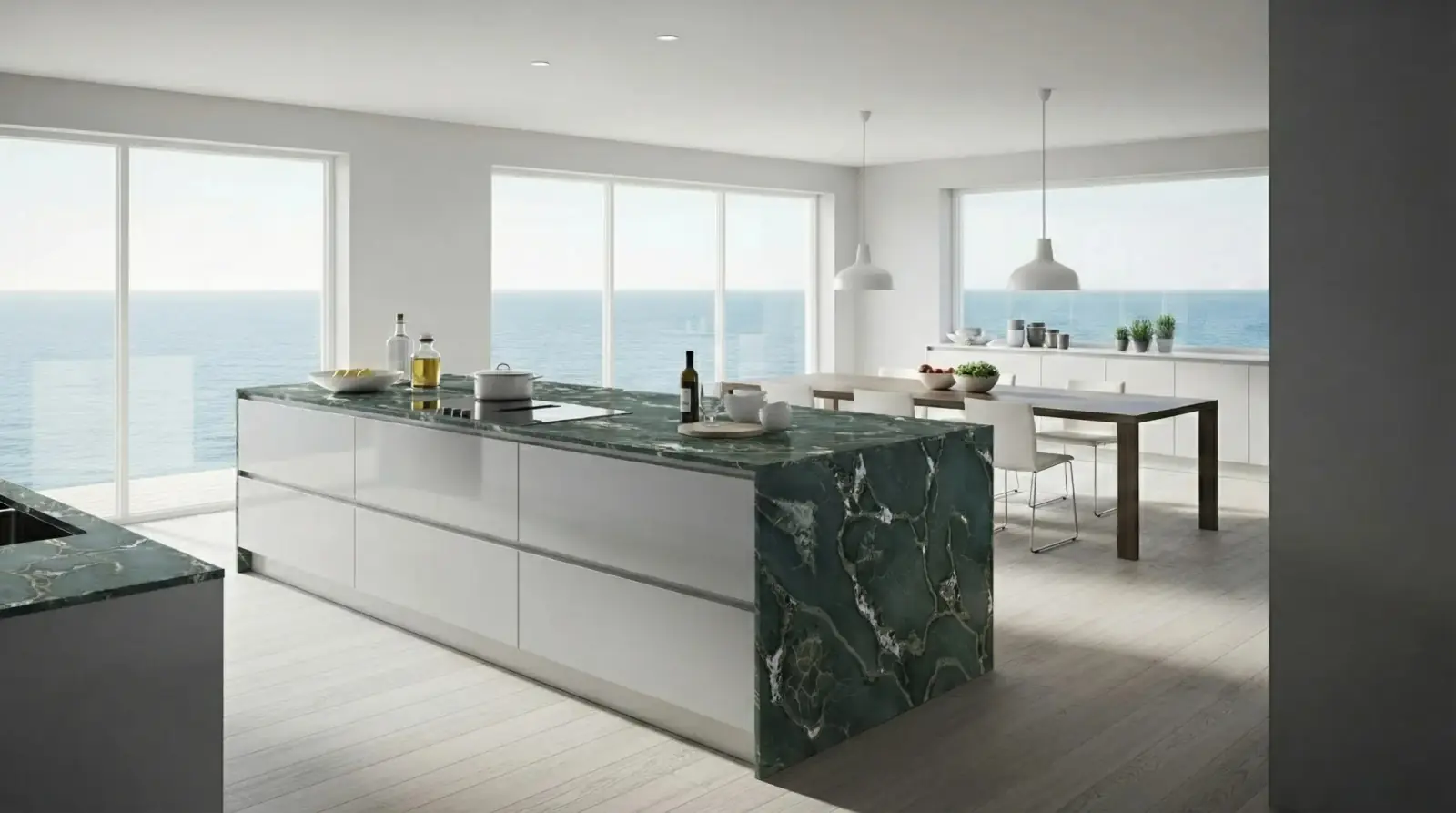
Stone material decision
A captured stone sample applied to a kitchen island where the surrounding cabinetry and lighting remain visible.
Safari Green Quartzite / Kitchen island

Questions
What is the best visualization tool for material approvals?
For material approvals, a room-photo AI visualizer is often the most direct because it shows the selected material or color on the actual target surface.
Do I still need 3D renders?
Yes, when the decision depends on layout, dimensions, custom joinery, or architectural changes. RenoViz is better suited to material and finish comparisons in existing room photos.
Where does AR fit?
AR can help with product placement and scale, especially for furniture. For surface materials such as tile, stone, paint, flooring, and fabric, room-photo visualization can be easier to review and share.
Related pages
Try this workflow
Use RenoViz to compare material directions in a real room photo, then confirm final choices with samples and professional review.